The whole client story, in one private place.
A running record of each client, built from your sessions: their story, key events, milestones, recurring themes and what to follow up. Created only when you ask, and kept separate from the session record.
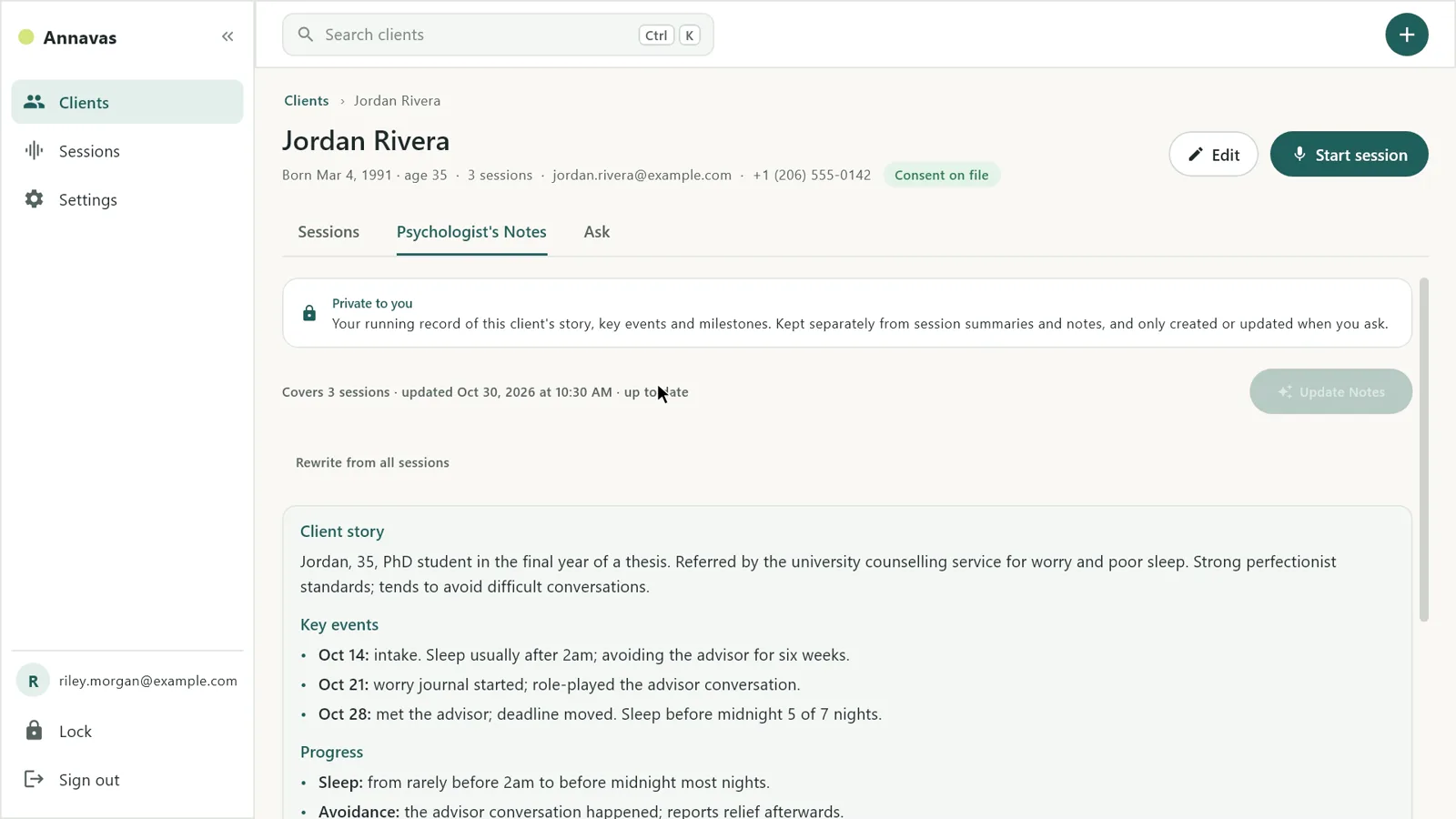
Five sections. Short on purpose.
A progress note tells you what happened in one session. Psychologist’s Notes condense all of them into the picture you would want before the next one, without repeating each note.
- 01
Client story
Two to four sentences on who the client is and what they are working on.
- 02
Key events
The most important things that happened or were disclosed, each with its session date.
- 03
Milestones and progress
Improvements, setbacks and goals reached across sessions.
- 04
Recurring themes
Patterns that come up in more than one session.
- 05
To follow up
Up to three open questions to explore next time.
You decide when it changes.
Generate
Open a client’s Psychologist’s Notes tab and click Generate Notes. Annavas reads that client’s progress notes, oldest first, and writes the first version.
Edit
The notes are yours. Change, add or remove anything and save. Future updates start from your edited version.
Update
After new sessions, the tab tells you how many are waiting. Click Update Notes to add just what is new.
Rewrite, if you want
Want a clean slate? Rewrite from all sessions writes the notes again from every progress note.
Your thinking about a client stays yours.

Never automatic
Summarizing a session does not touch the Psychologist’s Notes. They are created or updated only when you click.
Kept separately
It’s yours, separate from the chart note. Stored apart from progress notes and practitioner notes, so you decide what goes into the record you share.
Encrypted on your computer
Written by the AI on your own machine and saved encrypted. Nothing is sent to us or to any cloud.
Good to know.
See it with your own clients.
Psychologist’s Notes is included with every Annavas license. Already a customer? Update to Annavas 2.0 and open any client’s Psychologist’s Notes tab.